Framing the stats — rolling, period & snapshot windows
Most ranking signals are measured over a time window — and the mode you pick changes which orders and events count.
Before ranking can score a product, it has to decide which slice of time to measure — the window. Most signals (best-selling, trending, CTR…) are computed over this window, and the mode you pick changes which orders and events count. There are three modes, set on a collection’s Setup tab under Use sales from. Two rules skip the window entirely: Most profitable reads a catalog attribute, and Customer favorites always looks back a year — neither shows a window picker.
1. Rolling — a window that slides with the clock
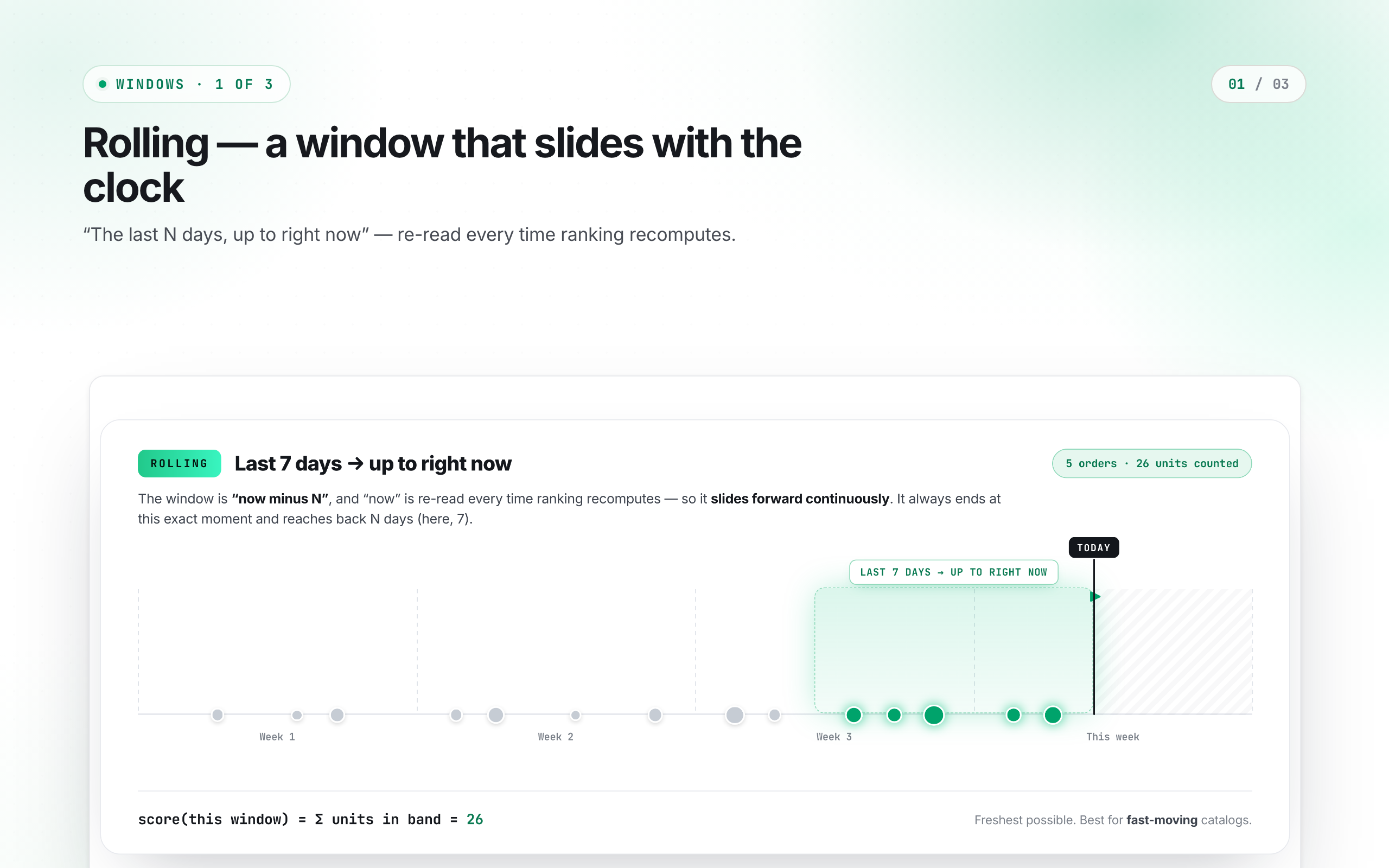
Rolling always ends at now and reaches back N hours or days. Because “now” moves, the whole window slides forward continuously — an order from 8 days ago that counted yesterday quietly drops out today. It’s the freshest possible view, ideal for fast-moving catalogs where you want the ranking to reflect the last few days at all times. That’s exact for Best selling; Top grossing, Trending and Selling fast read a daily rollup, so their window snaps to whole days in UTC — “last 7 days” means today plus the six days before it, the edge moves once a day at UTC midnight, and an hours-based window rounds up to a single day.
2. Period — the last completed calendar unit
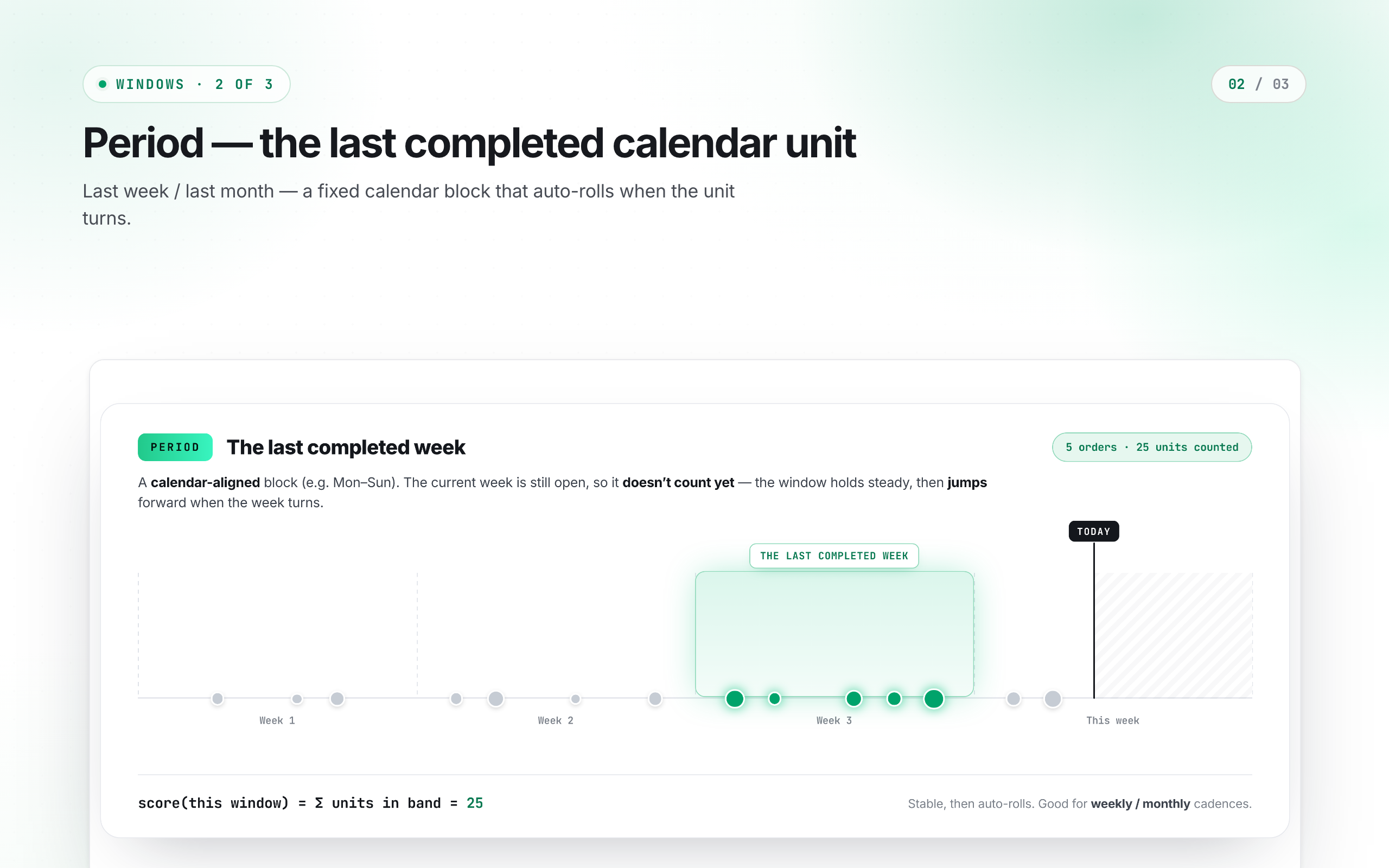
Period measures a completed calendar unit — the previous hour, yesterday, last week (Mon–Sun) or last month. The current, still-open unit doesn’t count yet, so the window holds perfectly steady all week, then jumps forward the moment the week turns. It’s stable and comparable period-to-period — good for weekly or monthly reporting cadences.
3. Snapshot — a frozen date range
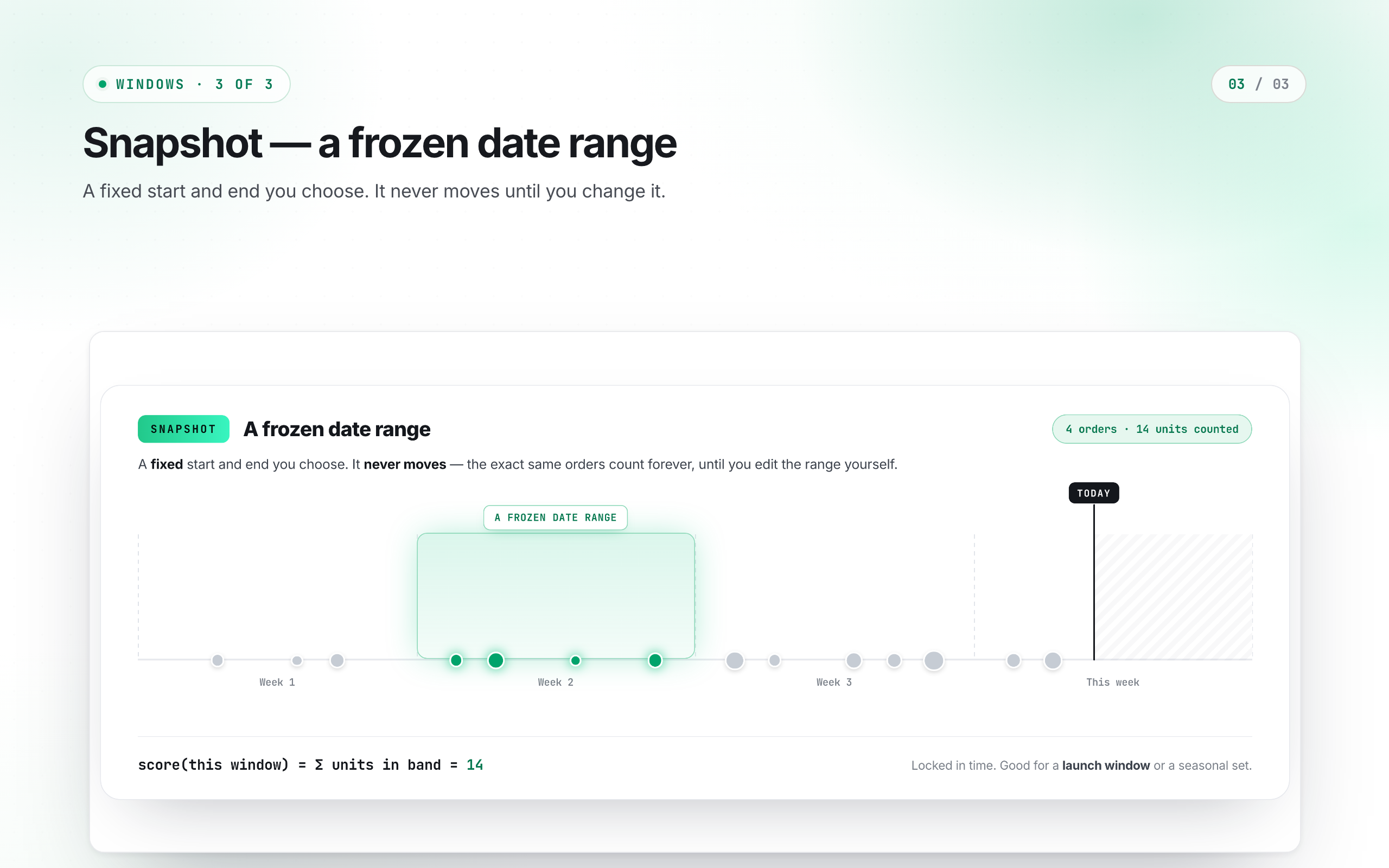
Snapshot pins the window to a fixed range. Pick Range and it freezes on the spot — the same orders count forever, nothing rolls in or out, until you edit it. Pick Month or Week and you get that whole calendar unit, so snapshotting the month or week you’re currently in keeps collecting orders until it closes. Reach for Snapshot when the period itself is the point: a launch week, a holiday sale, or a seasonal capsule you want ranked by how it performed then, not now.