Set the time window & keep it fresh
Choose which period the ranking looks at (rolling, period, or snapshot) and how often QSortby re-sorts and pushes the collection to Shopify.
Two settings control how a collection stays current: the window (which time period the ranking measures — e.g. sales in the last 7 days) and the schedule (how often QSortby recomputes and pushes the order). You’ll find both on a collection’s Setup tab. (See the Windows explainer for rolling vs. period vs. snapshot — and note that Period and Snapshot only change the window for the Best selling rule.)
1. Open a collection’s Setup tab
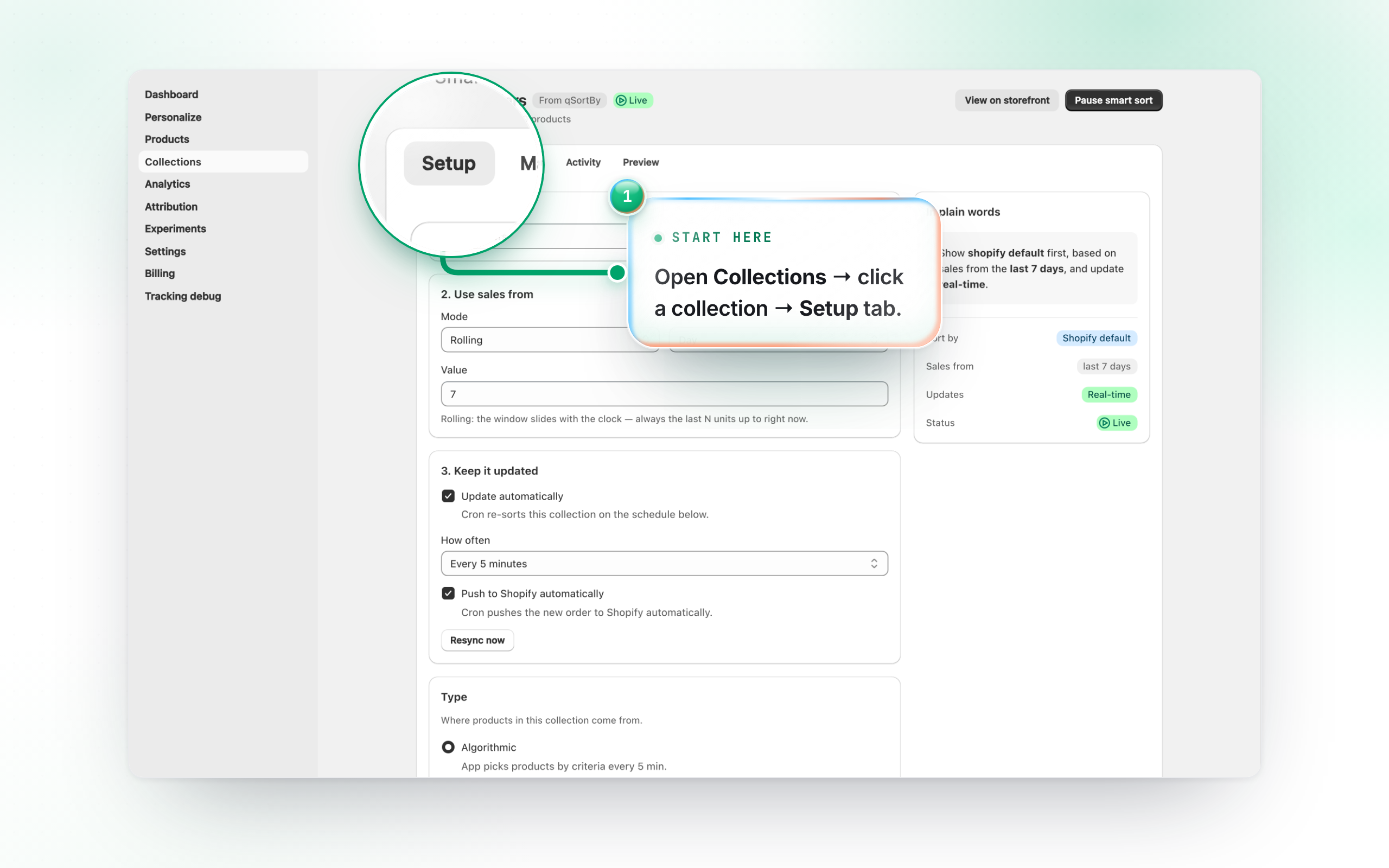
From Collections, click a collection to open it. The Setup tab is where you configure the ranking. The header shows its status (Live, Paused, or Needs setup) and a button to pause or resume smart sorting.
2. Pick the window
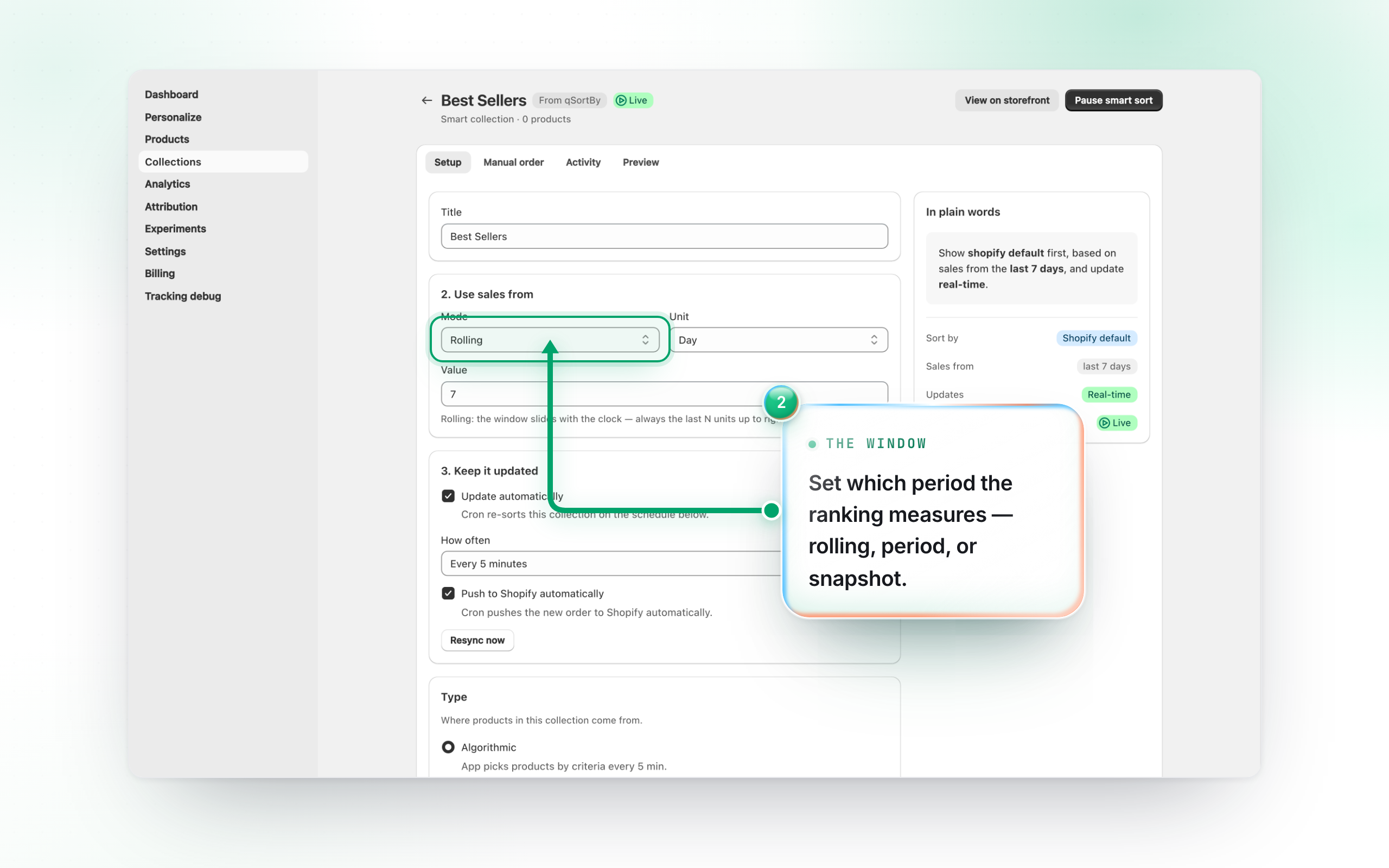
Use sales from sets the period the ranking measures. Rolling always looks back N hours/days from now (e.g. “last 7 days”). Period tracks the most recent completed hour, day, week or month (auto-rolls). Snapshot pins a fixed month, week or date range. Every rule honours Rolling; on Period and Snapshot, only Best selling is measured over the range you picked — the rest fall back to a rolling 30 days. Some rules have no window at all: Most profitable, Customer favorites and Personalize don’t show this picker.
3. Keep it updated automatically
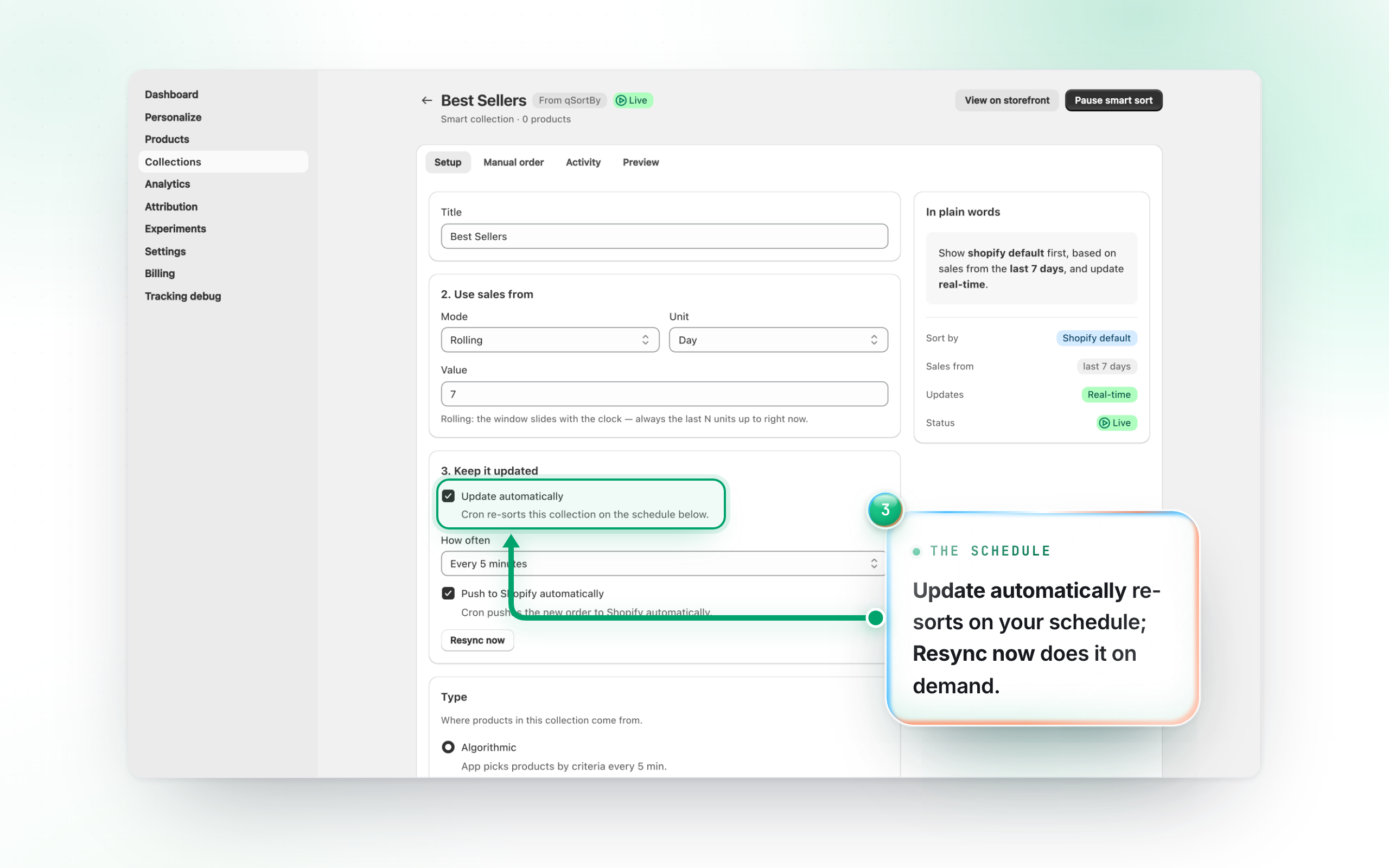
Turn on Update automatically to let QSortby re-sort on a schedule (set How often — every 5, 15 or 30 minutes, hourly, every 6 hours, or a custom 5–1440 minutes; the list shows these as Real-time / Hourly / Daily). With Push to Shopify automatically on, each newly computed product order goes straight to your store; off, it’s staged for you to review and push from the Preview & test tab. Use Resync now to recompute on demand.